

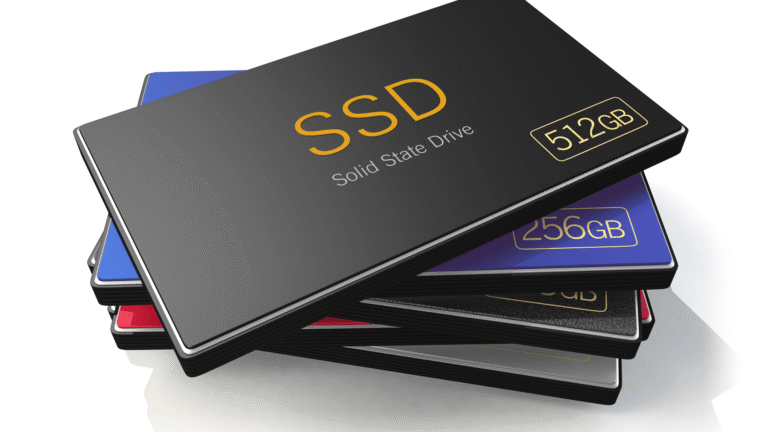
These days, almost everybody is using some form of storage drives, whether it’s built into their computer system or attached externally. Some people need more space for their work and hobbies, while casual users often manage with the internal storage that comes with their laptops or desktops.
Still, in most cases, almost every user eventually needs an external drive, whether it’s a USB drive, hard-disk drive (HDD) or a solid-state drive (SSD). And from what I’ve seen, more and more users are choosing SSDs over HDDs nowadays. I’m one of them as well, and so are many of my friends. Even though we all have different lifestyles and use drives for different reasons, some for work, some for gaming, others for travel or creative projects, but one thing is majorly very common, most of us prefer SSDs. The reason is simple: they offer many advantages, like faster performance, better durability, and more compact designs.
That’s why in this article, we’re going to talk about the 5 best external SSDs to buy in 2025.
What to Look for in an External SSD?
Let’s first understand what makes a SSD, fall into the “Best” category.
You may find a lot of modern SSDs that look sleek, stylish, and handy. And while appearance can matter to some extent, it’s not the only thing that defines the quality of an SSD. There are a few significant technical properties that play a much bigger role than the design factor, and If you’re planning to purchase an external SSD, it’s important to know which features can actually make a difference in your everyday life. These specifications may not only affect the drive performance but also determine how reliable and useful the SSD will be in the long run.
So before we move on to the list of the best SSDs of 2025, let’s take a moment to understand what those key factors are which we have considered in our list, keeping in mind how a normal user would ideally want an external ssd as per their daily life usage.
- Storage Capacities: For most regular users, SSDs that comes with a storage capacity between 500GB to 2TB is normally enough. This range can cover everyday needs like storing photos, videos, documents, games, and even some heavy software pretty easily.
Of course, the ideal storage size can vary depending on the person. Someone who edits videos or works with large files might go for 4TB or more, while someone who just needs extra space for backups might find 2TB completely fine.
But in general, for personal use, most people don’t go beyond 2TB, mainly because higher-capacity SSDs tend to get quite expensive and aren’t always necessary for casual or moderate use.
- Read/Write Speed: SSD must have at least 1000mbps speed to ensure fast transfer of large files (videos, backups).
- Port Compatibility: It must come with USB 3.2 Gen 2×2 or Thunderbolt 3/4
- Durability: It must be Water, dust, and shock resistance basically with (Good IP ratings) for longer durability.
- Software & Encryption Support: It should support Backup utilities, password protection, hardware encryption features.
- OS Compatibility: macOS, Windows, Linux, Android.
So, these are the essential features you should expect in any SSD before making a choice. Extra features like a unique design, RGB lights, or built-in fingerprint scanners are nice to have, but they’re more of a bonus than a necessity.
The Best 5 External SSDs in 2025
We’ve considered all the important factors like storage capacity, speed, durability, compatibility, and price-to-performance ratio. Based on these, here are the top 5 external SSDs in 2025 that truly stand out and are worth considering.
Let’s take a closer look at each of them.
1. Samsung T9 Portable SSD
The Samsung T9 Portable SSD tops the list, as it offers an all around package that is hard to beat.
It delivers impressive 2000mb/s speed that can handle up well during everyday use read/write usage and supports USB 3.2 Gen 2×2 for data transfers and features 256-bit AES encryption to help keep your files secure.
When it comes to how it looks, the Samsung T9 has a slim and sleek design that contributes to it’s clean and modern feel. It’s not bulky at all and actually looks pretty. What’s even better is that it weighs only about 122 grams, which is very light, roughly less than the weight of an average smartphone. That makes it really easy to carry around, even keeping it into your pocket.
This lightweight design is especially helpful for iPhone users who use an external SSD to store their photos, videos, or other files. Since it’s small and easy to take with you, it’s a perfect match for people who need extra storage on the go without carrying something heavy or awkward.
Samsung T9 Portable SSD comes in three storage options: 1TB, 2TB, and 4TB. So, you can choose the one that best fits your needs, and It also includes Samsung’s Dynamic Thermal Guard technology, which also helps prevent the drive from overheating. This means you can enjoy fast transfer speeds for longer period without worrying about the drive slowing down due to heat.
The T9 is designed according to international safety standards (IEC 62368-1), adding an extra layer of protection and peace of mind for users. It also has built-in shock resistance, allowing it to survive accidental drops from up to 3 meters. So if you accidentally drop it, chances are your data will still be safe almost every time.
To top it off, the T9 comes with a 5-year limited warranty, giving you confidence in your purchase. It can also be locked with a password using its AES 256-bit encryption, adding another level of security for your important files.
Moreover, coming by the trusted Samsung brand, the T9 is also priced fairly, which makes it a true value for the money and with all these features combined it easily becomes one of the best external SSDs available today.
2. SanDisk Extreme Pro
Next on our list is another amazing external SSD, the SanDisk Extreme Pro. This model has gotten much better over time, especially when it comes to the read/ write speed of this SSD. Therefore, compared to older versions, like the original SanDisk Extreme, the Extreme Pro is a lot faster.
If you remember the older one could only transfer data at around 550MB per second, but the new Extreme Pro can go up to 2,000MB per second if you use it with the right kind of USB port (called USB 3.2 Gen 2×2). This means your files, whether big videos or a bunch of photos, will transfer much faster, and you’ll notice the difference right away.
The design is also a plus. It has a modern, clean look, and it’s small and light-weight, almost about the size of a deck of cards and weighs just 77.5 grams. And, there’s a triangle-shaped hole at the top which not only looks cool but also makes it easy to attach to a bag or keychain.
It has a solid aluminum body chassis, which helps it stay cool even when you’re using it a lot for heavy tasks and along with that it also gives the SSD a subtle, nice and premium feel.
It is also resistant to water and dust, with a rating IP65. Which means it can handle being splashed with water or exposed to dusty environments without being affected, just be sure it’s dry before plugging it into your computer.
You can get three different options for the SanDisk Extreme Pro SSD. They come in 1TB, 2TB, or 4TB storage capacities. So, you can choose the one that fits your needs or budget. Whether you need it for basic file backups, regular daily use, or any projects like video editing, etc.,
SanDisk also offers a 5-year limited warranty, which shows they trust the quality of their product. On top of that, the drive meets international safety and quality standards (like CE, FCC, BIS, UKCA), so you know it’s been tested and approved for reliable use around the world.
All in all, the SanDisk Extreme Pro is fast, sturdy, dependable and It is certainly a smart choice if you want a mix of speed, portability, and peace of mind. That’s why this SSD is at 2nd place in our list.
3. Crucial X10 Pro Portable SSD
Moving further on the list now we have the Crucial X10 Pro Portable SSD at the 3rd Rank. This SSD is a small and powerful external drive that comes in three storage sizes: 1TB, 2TB, and 4TB.
Since this drive is a fast One of its best features is that it’s fast enough to let you edit photos and videos directly from the drive, which can save you time and space on your computer and given its small size it adds a lot of value. It offers very fast read and write speed, which is up to 2,100MB/s for reading files and up to 975MB per second for writing. That means you can open, move, or copy large files like videos and high-resolution photos and documents very quickly and this would be super helpful and daily usage. These speeds are best when you use the USB Type-C cable that comes with the drive, especially on newer devices that support USB 3.2 Gen2.
Note: For older devices, it also works with a USB Type-A adapter, but the speed might be a little slower comparatively.
Crucial X10 Pro SSD is also made to be long-lasting in regular usage. It can handle a drop from up to 7.5 feet (about 2 meters) if it lands on a carpeted floor, which is helpful in everyday indoor situations. If it falls from a desk or slips from your hand, your data should still be safe. it can handle water splashes and dust in normal use. The company even claims it can resist water sprays from any direction, but you shouldn’t dip it in water or submerge it, that could damage the drive and risk losing your data.
So overall, for normal daily use, this SSD is quite tough. But if you plan to use it outdoors or in rough conditions, it may not be as safe, since it’s mainly designed to survive indoor drops and not extreme conditions.
For data safety, the Crucial X10 Pro works with built-in security tools on both Windows and Mac. If you use Windows, it supports BitLocker. And if you’re on a Mac, it works with FileVault.
Crucial is also launching a companion app for Windows and macOS to help you manage the drive more easily.
It is compatible with a wide range of devices including Windows PCs, Macs, Android phones, iPads, and even Linux systems.
Inside the box it comes with a USB-C cable, so you’re good to go out of the package. Just keep in mind that depending on your device, you might need to format the drive or update your system for everything to work perfectly.
So, if you’re looking for a fast, compact, and reliable SSD for everyday use, especially for tasks like photo-video editing, the Crucial X10 Pro would be a good pick for you.
4. ADATA SE920 Portable SSD
Now, moving ahead in the list we have “ADATA SE920 Portable SSD” drive.
If you’re looking for a high-performance external SSD in 2025, the ADATA SE920 USB4 Portable SSD is absolutely worth your attention. It is one of the drives that fully supports USB4 and Thunderbolt 4, offering blistering-fast speeds, excellent compatibility, and a innovative design that make it a standout choice, especially for content creators, gamers, or anyone moving massive files regularly.
The SE920 is available in 1TB, 2TB, and 4TB storage capacities. For most users, the 1TB or 2TB options will be more than enough, perfect for handling photos, videos, documents, games, and heavy software without breaking a sweat. If you’re a video editor or someone working with 4K/8K footage or large backup files, the 4TB variant offers more breathing room, though it does come at a higher cost, considering the speed and technology packed inside, the price-to-performance ratio is more than fair.
Where the SE920 really shines is in its read/write speeds. ADATA claims up to 3,800 MB/s read and 3,700 MB/s write speeds, and real-world testing shows it can consistently hit 3300–3400 MB/s when used with full USB4 or Thunderbolt 4/5 systems. That’s NVMe-level speed, something typically reserved for internal SSDs. But remember, to unlock those speeds, you’ll need a compatible device and a proper 40Gbps-rated USB-C cable (thankfully, one is included in the box).
In terms of connectivity, the SE920 is well-equipped. It uses USB4 over USB-C, but it’s also backward compatible with USB 3.2, 3.0, and even USB 2.0, so you can use it across a wide range of devices, Windows PCs, macOS (especially newer M1/M2/M3 and M4 models), Linux laptops, and Android phones with OTG support. This flexibility is a huge plus if you’re frequently switching between platforms or devices.
One of the more interesting features of this SSD is its active cooling system. The SE920 has a spring-loaded sliding mechanism that reveals air vents and activates a nearly silent internal fan to help manage heat during heavy file transfers. While it’s not waterproof or dustproof and lacks an IP rating, the sturdy metal and plastic build and internal fan make it a solid performer in indoor environments. It’s clearly built for speed and reliability more than rugged outdoor use.
However, it’s important to note what’s missing: the SE920 does not offer built-in password protection, hardware encryption, or bundled backup software. That means it may not be the best pick if you’re looking to store highly sensitive or encrypted data, especially for enterprise-level use.
On the software side, there’s full OS compatibility, including Windows 10/11, macOS Monterey and newer, Linux (with USB4 or Thunderbolt support), and Android. You’ll get true plug-and-play support with most systems, which makes setup quick and painless.
Price-wise, it comes at around $179.99 for 1TB, $269.99 for 2TB, and $499.99 for 4TB as of mid-2025. With a 5-year limited warranty, it’s clear that ADATA stands by the long-term reliability of this drive.
So, if speed, future-proofing, and versatility matter to you. It’s one of the fastest external SSDs available today, with a smart cooling system, broad compatibility, and sleek design. It’s especially great for video editors, gamers, and creative professionals who regularly deal with massive files and don’t want performance bottlenecks.
However, if hardware encryption or rugged outdoor use is a priority, this drive might not be the perfect fit. But for most power users, the ADATA SE920 delivers top-tier external storage performance with almost no compromise, making it one of the best external SSDs you can buy in 2025.
Although it has metal chassis but since there is no drop resistance assurance of any kind of claim from the brand that it could manage the impact of a couple of meters drop or water splashes bearing capacity, it became the major reason that despite being it so good in all other factors I have kept this in the 4th position in my list plus it also comes without any built-in password protection.
5. LaCie Rugged SSD Pro
By the time you reach this point, you’ve probably already come across SSDs in the list that tick most, if not all, of your boxes. But, if none of the previous options quite clicked with you, don’t worry, our list’s fifth pick might just be the one you’ve been waiting for. I am talking about the LaCie Rugged SSD Pro, that comes from the brand Seagate.
This LaCie SSD comes in comes 1tb, 2tb, 4tb variants.
The LaCie Rugged SSD Pro is powered by a Seagate FireCuda NVMe SSD and takes full advantage of Thunderbolt 3 technology, delivering speeds of up to 2,800 MB/s. This means you can work with extremely demanding footage, such as 6K or 8K uncompressed RAW video, directly from the drive without the need for transcoding or slow transfers. But to To achieve its max 2,800 MB/s speeds, you must use it with a Thunderbolt 3-enabled device. When connected via standard USB-C, performance will be much slower, so it’s not as universally high-speed as some USB 4.0 drives
This SSD is built to survive the toughest conditions with its IP67-rated water and dust resistance, drop tolerance of up to 3 meters, and even the ability to withstand the weight of a two-tonne car.
Despite its rugged build, the LaCie Rugged SSD Pro is palm-sized and lightweight, making it easy to slip into a gear bag or backpack.
The drive works seamlessly with both Mac and Windows systems through Thunderbolt 3 and USB-C connections, and it can also connect to iPads with a USB-C port
Each purchase includes a one-month complimentary membership to Adobe Creative Cloud All Apps, giving you access to industry-leading tools like Photoshop and Premiere Pro to enhance your creative workflow
LaCie includes a 5-year limited warranty with the Rugged SSD Pro, as well as Rescue Data Recovery Services to help recover your files in case of accidental damage or data loss. This level of after-sales support adds extra peace of mind for professionals working with irreplaceable content
This SSD is a perfect choice for filmmakers, photographers, and content creators who often work in extreme environments and need both high-speed performance and exceptional durability in a single drive
But If you don’t regularly work in outdoor conditions or edit massive high-res video files, the extra ruggedness and Thunderbolt 3 performance might be more than you actually need, making cheaper options like the Crucial X10 Pro or Samsung T9 more practical.
Final Thoughts: Which External SSD Should You Choose in 2025?
After going through the top 5 external SSDs of 2025, it’s clear that each drive has its own strengths, and the “best” one really depends on what you need.
- If you want the most balanced option with great speed, reliability, portability, and fair pricing, the Samsung T9 is the safest and most complete choice for most users.
- If you want extremely fast performance with a lightweight design, the SanDisk Extreme Pro is an excellent pick.
- If you need a compact SSD that’s fast, budget-friendly, and supports editing directly from the drive, the Crucial X10 Pro is ideal.
- If you want next-level speed and future-proof technology like USB4 or Thunderbolt, go for the ADATA SE920, especially if you deal with huge files every day.
- And if you’re a filmmaker, traveler, adventure photographer, or someone who needs extreme durability, the LaCie Rugged SSD Pro is built exactly for that kind of environment.
Quick Comparison Table
| SSD Name | Max Speed | Storage Options | Best For | Warranty |
| Samsung T9 | 2,000 MB/s | 1TB / 2TB / 4TB | Everyday users, iPhone users, travel, work backup | 5 Years |
| SanDisk Extreme Pro | 2,000 MB/s | 1TB / 2TB / 4TB | Fast performance, lightweight use | 5 Years |
| Crucial X10 Pro | 2,100 MB/s Read / 975 MB/s Write | 1TB / 2TB / 4TB | Photo/video editing, creative users, portability | 5 Years |
| ADATA SE920 | Up to 3,800 MB/s | 1TB / 2TB / 4TB | Power users, video editors, USB4 / Thunderbolt users | 5 Years |
| LaCie Rugged SSD Pro | Up to 2,800 MB/s | 1TB / 2TB / 4TB | Outdoor creators, filmmakers, extreme durability needs | 5 Years + Data Recovery |
My Recommendation
If you’re still unsure which one to pick, here’s a simple guide:
Choose Samsung T9 – if you want the safest, most well-rounded option in every category
Choose SanDisk Extreme Pro – if you prioritize speed + portability for daily work
Choose Crucial X10 Pro – if you’re a creator who edits directly from the SSD
Choose ADATA SE920 – if you want the fastest SSD with USB4/Thunderbolt future-proofing
Choose LaCie Rugged SSD Pro – if you work outdoors or need extreme protection
No matter which SSD you buy, make sure it matches your real-life usage, not just the specs on paper. The best SSD is the one that makes your day-to-day life easier, faster, and at ease.



Your blog is a true hidden gem on the internet. Your thoughtful analysis and engaging writing style set you apart from the crowd. Keep up the excellent work!
Pingback: 7 Easy Ways to Fix "User Interaction Required" Error on macOS