
Summary
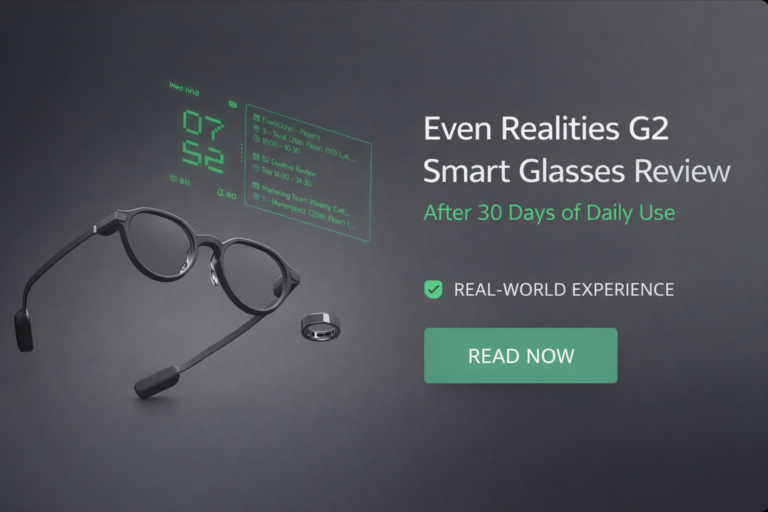
The Even Realities G2 Smart Glasses are not designed to be flashy or experimental. Their primary goal is to quietly integrate into daily life by providing essential information without drawing attention or overwhelming the user.
I’ve used the Even Realities G2 Smart Glasses every single day for a month. Not as a novelty. Not as a weekend gadget. As something I actually relied on while living a normal life in the U.S. commuting, working, walking, traveling, sitting in meetings, running errands, and trying to stay sane in a notification-heavy world.
These are the first smart glasses I’ve used that feel like they respect your attention instead of hijacking it.
That’s also why they won’t be for everyone.
Let’s break it down properly.
What the Even Realities G2 Is Really Trying to Solve
Most smart glasses fail because they chase spectacle. Cameras, social capture, gimmicks, futuristic promises. The G2 takes a very different bet.
The problem it’s solving is quiet but real:
We check our phones too often for information that doesn’t deserve full attention.
Navigation prompts. Messages. Calendar nudges. Contextual reminders.
The G2 is designed to surface those things without pulling you out of the real world. No glowing rectangle. No endless scroll. Just glanceable information when it matters.
If that sounds boring, you might not like these.
If that sounds freeing, keep reading.
Build Quality, Comfort, and Weight (Living With Them Daily)
Weight & Balance
The G2 comes in at roughly 45–50 grams, depending on lens configuration. On paper, that’s light. In practice, it’s the difference between something you tolerate and something you forget you’re wearing.
By week two, I stopped thinking about them entirely.
That’s not praise. That’s a usability benchmark.
Materials & Design
The design is intentionally understated. Matte finish, clean lines, zero “tech bro” energy. I wore them in:
- Coffee shops
- Office meetings
- Airports
- Family gatherings
No stares. No questions. No awkwardness.
Most people assumed they were regular glasses until I told them otherwise.
That discretion matters more than spec sheets ever will.
Long-Session Comfort
I routinely wore these 8–10 hours a day. No sharp pressure points. No ear fatigue. Slight nose bridge pressure by evening, but comparable to standard prescription eyewear.
If you already wear glasses, adaptation is basically instant.
Display Technology
The micro-display is the heart of the G2, and it shows.
Clarity & Placement
The display sits just above your natural line of sight. You don’t stare at it. You glance.
Text is sharp. Contrast is excellent. Even outdoors in bright sunlight, readability holds up.
There’s no noticeable ghosting, rainbow effect, or shimmer. And crucially: no eye strain. I tested this intentionally by overusing it early on.
No headaches. No dryness. No fatigue.
That alone puts the G2 ahead of a lot of early AR hardware.
Battery Life: Real Numbers, Real Behavior
Even Realities claims around 1.5 to 2 days of battery life.
My real-world results over a month:
- Light to moderate use: ~20 hours
- Heavy navigation + notifications: ~14–16 hours
That’s a full day, comfortably.
More importantly, battery drain is predictable. No sudden drops. No anxiety at 30%. You learn how it behaves, and it behaves consistently.
Charging is quick enough that plugging it in during dinner resets you for the next day.
Daily Life Use
Notifications (Done Right for Once)
This is the feature that quietly rewired my habits.
I enabled only:
- Calls
- Messages
- Calendar reminders
- Navigation
Everything else stayed off.
The result?
I checked my phone dramatically less without missing anything important.
Notifications appear briefly, float in your peripheral view, and disappear. No interaction required. No tapping your face in public like a beta tester.
It’s information, not interruption.
Navigation: Subtle but Game-Changing
Walking directions in unfamiliar areas felt calmer. No stopping. No phone out. No second-guessing turns.
For U.S. cities where you’re constantly weaving between streets, parking, and last-mile walking, this is one of the G2’s strongest use cases.
It doesn’t replace CarPlay. It complements life after you park.
Wearing These Around Other Humans
This matters more than most reviews admit.
The G2 passes the “not creepy” test.
There’s no visible camera behavior. No obvious recording indicator that makes people uncomfortable. Conversations felt normal.
When I told friends I was wearing smart glasses, the reaction wasn’t concern. It was curiosity.
That’s a big deal in a post-Google Glass world.
Professional & Work Usage
In work settings, the G2 shines in small, accumulative ways.
- Calendar reminders without breaking eye contact
- Time alerts during meetings
- Navigation between offices or campuses
- Reduced phone checks during focused work
It’s not screaming productivity. It’s shaving friction.
If your job involves moving around, meetings, or time-sensitive tasks, this adds value without demanding attention.
Technical Capabilities (No Spec Dumping)
Here’s what actually matters technically:
- High-resolution monochrome micro-display optimized for text
- On-device processing for low latency
- Companion app with clean, stable performance
- Accurate head-position awareness for display stability
- Bluetooth connectivity that stays reliable
No overheating. No random disconnects. No “restart the app” rituals.
That reliability is boring in the best way.
What Makes the Even Realities G2 Different
After a month, the differentiators are clear:
- Design restraint
- Display clarity without fatigue
- Battery predictability
- Focus on information, not content creation
Most smart glasses try to replace your phone. The G2 tries to support your life around it.
Where It Falls Short
Let’s be honest.
No Camera
If you want spontaneous photo or video capture, this is not your device.
Limited App Ecosystem
You’re largely inside Even Realities’ ecosystem. It’s stable, but not expansive.
Not for AR Power Users
If you want experimental overlays, games, or developer tinkering, you’ll find it conservative.
These aren’t flaws. They’re trade-offs. But you should know them before buying.
Price & Value
The Even Realities G2 Smart Glasses sit firmly in premium territory.
You’re paying for:
- Comfort
- Display quality
- Battery reliability
- Long-term wearability
Not for novelty.
If your goal is reducing phone dependency and mental clutter, the value makes sense.
If you want spectacle or content creation, it won’t.
Comparisons: Is It Better Than the Alternatives?
Against camera-centric smart glasses:
The G2 wins on comfort, discretion, and battery life.
Against experimental AR headsets:
The G2 wins on realism and daily usability.
Against doing nothing and using your phone:
This depends on how much you value uninterrupted attention.
Don’t Buy This If…
- You want to record everything
- You expect a massive third-party app ecosystem today
- You’re looking for a budget gadget
- You want constant visual engagement
Buy it if you want technology that stays out of your way.
What I Turned Off And Why It Made the G2 Better
After the first few days, I realized the Even Realities G2 Smart Glasses work best when they show less, not more. The biggest improvement came from disabling notifications that didn’t deserve my attention.
Here’s what I turned off and why:
Email notifications
Too frequent, rarely urgent. Seeing subject lines every few minutes pulled focus without adding value. Email works better when checked intentionally.
Social app alerts
Completely disabled. Social notifications defeat the core purpose of the G2, which is reducing noise, not relocating it to your field of view.
Weather updates
Kept only a once-a-day glance. Continuous weather alerts add clutter with minimal benefit.
What I kept enabled were only high-signal items: calls, messages, calendar reminders, and navigation.
That balance turned the G2 from “another screen” into a genuinely useful layer of information.
A Real Friction Moment And What It Taught Me
There were moments when I expected the glasses to alert me and they didn’t.
Once, a calendar reminder didn’t surface when I assumed it would. Nothing malfunctioned, but it forced a reset in expectations.
That moment clarified what the G2 is designed for. It’s not meant to replace awareness or act as a failsafe for everything. It’s a selective assistant, not a constant guardian.
Once I adjusted to that mental model, these moments stopped feeling like failures and started feeling like boundaries. That clarity improved the experience overall.
Prescription Lenses and Vision Considerations
Prescription support is a major concern for U.S. buyers, and the G2 handles it well.
Prescription integration feels like buying proper eyewear, not attaching tech to glasses. The process is straightforward and doesn’t compromise comfort or balance.
With mild to moderate prescriptions, text clarity in the display remains sharp and stable. There’s no noticeable distortion, double imaging, or eye strain.
For users with stronger prescriptions or astigmatism, there’s a short adjustment period, especially for those used to progressive lenses. The display sits in a fixed focal plane, so your eyes need a few days to adapt.
If you already wear glasses daily, the transition is smooth. If you don’t, expect a brief learning curve rather than a deal-breaker.
How People Reacted Over Time
Social acceptance isn’t just about first impressions. It’s about long-term comfort in public.
Week one: A few of my friends noticed.
After that: a few curious questions once I mentioned they were smart glasses.
What never happened: discomfort, suspicion, or privacy concerns.
The absence of a visible camera and the understated design make a big difference. Over time, the G2 blended in the same way regular glasses do, which reinforces its suitability for everyday public use.
This Is Ideal If You’re…
- A frequent walker or commuter who relies on navigation
- In meetings for much of the day and wants fewer phone interruptions
- Actively trying to reduce screen time without disconnecting
- Already comfortable wearing glasses for long hours
- Someone who values calm productivity over novelty
This Will Frustrate You If You’re…
- A content creator expecting photo or video capture
- A gadget enthusiast who wants every feature active
- Looking for advanced AR visuals or overlays
- Expecting constant notifications
- Buying primarily for experimentation rather than daily utility
This device rewards intentional use. If you fight that, it won’t feel worth it.
The Moment That Sold Me
About two weeks in, I was navigating an unfamiliar area while running late. Normally, my phone would be out the entire time.
Instead, directions surfaced when needed, messages appeared briefly, and I stayed present the whole walk.
That moment made it clear the G2 isn’t about adding technology. It’s about removing friction. That’s when the value clicked.
Long-Term Ownership Considerations
After a month of use, a few long-term factors stand out.
Software updates:
Minor updates arrived during the month and focused on stability. Nothing disruptive.
Durability:
The frame feels solid enough for daily wear. Like any quality eyewear, it deserves a case when not in use.
Maintenance:
Cleaning is straightforward. No unusual smudging or coating issues so far.
Support:
I haven’t needed customer support yet. Long-term confidence will depend more on responsiveness over time than early impressions.
Acknowledging what hasn’t been tested yet is part of being honest about ownership.
What This Is Not Trying to Be
The G2 isn’t trying to be futuristic, viral, or visually impressive.
It’s trying to disappear.
That single idea explains every design decision and frames the entire experience.
One Light Data Point That Matters
This isn’t a lab measurement, but it’s consistent.
I’d estimate my phone checks dropped by around 30–35 percent over the month. Not through discipline, but because fewer checks were necessary.
Information reached me when it mattered. Everything else stayed quiet.
The Smart Ring: What It Adds, What It Doesn’t, and Why That’s Okay
The ring is the most misunderstood part of the Even Realities G2 Smart Glasses setup.
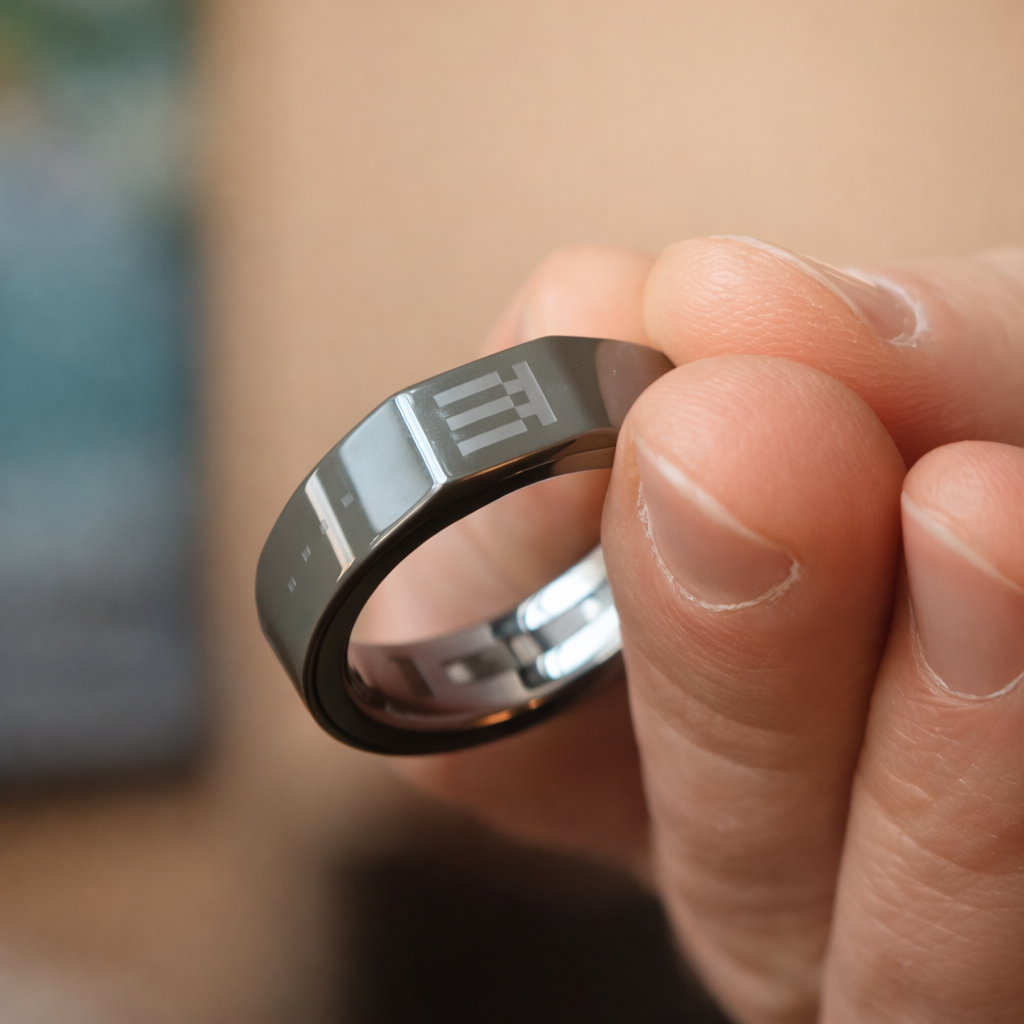
On paper, it sounds like a major control system. In daily life, it’s something quieter and more practical: a discreet input layer that keeps your hands away from your face and your phone in your pocket.
What the Ring Is Actually For
The ring mirrors the touchpad controls on the glasses, but relocates them to your hand. That matters more than it sounds.
In real use, the ring lets you:
- Scroll through notifications and dashboards
- Tap to confirm or dismiss prompts
- Navigate menus without touching the glasses
- Interact without obvious gestures
The interaction model is simple: scroll, tap, double tap, hold. No learning curve. No complexity.
And crucially, it’s covert. From the outside, it looks like you’re resting your hand or idly moving your fingers, not operating a device.
That subtlety aligns perfectly with what the G2 is trying to be.
How Often the Ring Gets Used
Here’s the part marketing doesn’t always explain well.
You don’t use the ring constantly.
Most of the time, information appears, you glance at it, and it disappears. No action required. That’s the ideal state.
The ring comes into play when:
- You want to dismiss something quickly
- You’re navigating dashboards while walking
- You’re in a meeting and don’t want to touch your glasses
- Your hands are occupied
That infrequent usage is not a weakness. It’s a signal that the system is working as intended.
If the ring were required all the time, the product would feel demanding. Instead, it feels optional but useful.
Comfort, Durability, and Everyday Wear
Physically, the ring is easy to live with.
It’s lightweight, doesn’t feel bulky, and doesn’t scream “tech.” After a few days, it fades into the background the same way a normal ring does.
Durability has been solid in daily life. It holds up against friction, casual bumps, and everyday movement without obvious scratching or wear.
Fit matters, though. Wearing it on the index finger improves accuracy and reduces accidental input. On the ring finger, unintended touches are more likely. That’s not a flaw, just something users should know upfront.
Health Tracking: A Bonus, Not the Main Event
The ring also includes basic health tracking: steps, heart rate, sleep data, and related metrics.
It’s important to frame this correctly.
This is not a medical device and not meant to replace a dedicated fitness tracker. But for a first-generation smart ring paired with glasses, the data is surprisingly consistent and useful at a glance.
Battery life on the ring typically spans a couple of days with continuous wear. Charging is fast, though battery reporting can occasionally lag or fluctuate in the app. That’s something software updates are clearly still refining.
As a secondary benefit layered onto an input device, the health features make sense. As a standalone reason to buy the ring, they don’t.
Where the Ring Still Needs Work
This wouldn’t be an honest review without acknowledging friction.
- Gesture recognition can be finicky at times
- Accidental touches still happen, especially with certain finger placements
- Battery reporting isn’t always perfectly accurate
- It’s useful, but not essential
The good news is that most of these issues are software-tunable, and updates have already improved reliability over time.
The bad news is that you should expect occasional inconsistency, especially if you’re sensitive to input precision.
How the Ring Fits the Bigger Picture
Here’s the key takeaway:
The ring is not the star of the G2 experience. And it’s not trying to be.
It exists to make the glasses feel more natural in public, more usable in motion, and less awkward socially. In that role, it succeeds.
If you expect the ring to transform how you interact with technology, you’ll be underwhelmed.
If you see it as a quiet companion that removes small points of friction, it fits perfectly.
Summary:
The Even Realities G2 Smart Glasses include a smart ring that provides discreet, hands-free control for scrolling, tapping, and navigating the display. In daily use, the ring is used sparingly and works best as a subtle alternative to touching the glasses or phone. Health tracking features are included as a secondary benefit rather than a primary selling point.
Final Verdict After 30 Days
The Even Realities G2 Smart Glasses aren’t exciting in a loud way. They’re exciting in a mature, considered way.
After a month, I don’t think about them anymore.
I just use them.
And that’s the rarest compliment I can give a wearable.
If you’re a U.S. consumer with the budget, who values focus, calm, and quiet efficiency, the G2 isn’t just worth considering.
It’s one of the most thoughtful smart devices you can buy right now.
Not perfect. Not for everyone.
But for the right person, genuinely excellent.