
Microsoft has rolled out two new cumulative updates for Windows 11: KB5074109 and KB5073455. On paper, these updates focus on security improvements and system stability. In reality, KB5074109 in particular has introduced a series of frustrating issues that many users and IT teams are now dealing with.
I’ve spent time reviewing real-world reports, testing affected systems, and helping troubleshoot machines where these updates caused unexpected behaviour. If you’re seeing a black screen after login, Outlook suddenly freezing on POP accounts, Azure Virtual Desktop sessions failing, or strange desktop.ini file behaviour, you’re not alone.
Let’s break down what’s going wrong, why it’s happening, and what you can safely do next.
What are KB5074109 and KB5073455?
Both KB5074109 and KB5073455 are cumulative updates for Windows 11, meaning they bundle security fixes, bug patches, and minor feature adjustments into a single install.
- KB5074109 is the one generating the most complaints
- KB5073455 appears more stable but is often installed alongside it
The problem is not that these updates fail to install. In most cases, installation completes successfully. The issues start after reboot, once the system is back in daily use.
Major issues reported with Windows 11 KB5074109
1. Black screen after login
One of the most alarming issues is a black screen appearing after signing in. The system boots, credentials are accepted, but the desktop never fully loads.
In affected systems:
- Taskbar may not appear
- Desktop icons are missing
- Only the mouse cursor is visible
- Keyboard shortcuts like Ctrl + Alt + Del still work
This points to Explorer or shell-related failures triggered by the update, not hardware damage.
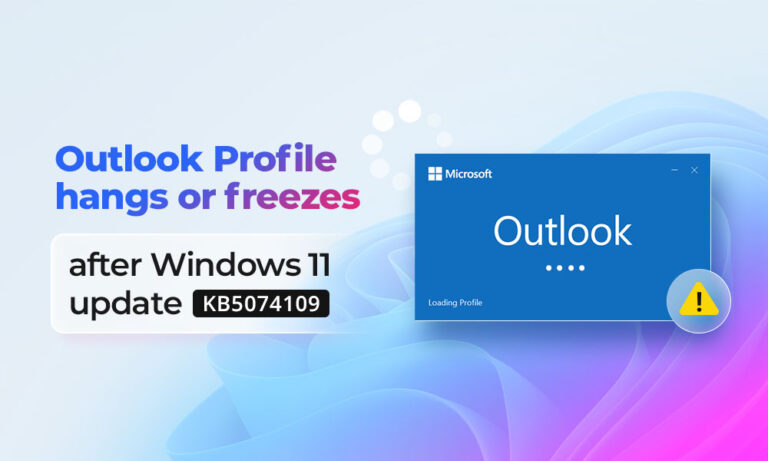
2. Outlook POP accounts freezing or becoming unresponsive
This is where things get serious for business users.
After installing KB5074109, many users reported:
- Outlook freezing while syncing POP accounts
- Emails stuck on “Updating Inbox”
- Outlook becoming unresponsive when accessing older mail
- High CPU or memory usage by Outlook
In most cases, the root issue isn’t Outlook itself but corrupted or partially locked PST files, triggered when Outlook crashes or freezes repeatedly after the update.
Once a PST file gets damaged, Outlook may refuse to load mail folders or crash every time it tries to access them.
3. Azure Virtual Desktop (AVD) disruptions
For enterprise environments, Azure Virtual Desktop failures are one of the most disruptive effects of KB5074109.
Admins have reported:
- Users unable to connect to AVD sessions
- Sessions dropping unexpectedly
- Login loops or black screens inside virtual desktops
This suggests compatibility problems between the update and specific AVD configurations, especially where GPU redirection or custom policies are involved.
4. LocalizedResourceName and desktop.ini confusion
Another strange side effect involves desktop.ini files and the LocalizedResourceName entry.
Symptoms include:
- Desktop icons renamed to system-style labels
- Folder names appearing incorrect or unreadable
- Unexpected system files becoming visible
This usually happens when Windows fails to correctly process localization metadata after the update. It’s not dangerous, but it’s confusing and makes the system feel broken.
Why these issues matter more than usual
A bad update is annoying. A bad update that affects email access, virtual desktops, and user login is operationally dangerous.
- Outlook issues can mean lost access to critical emails
- AVD failures can halt remote work entirely
- Repeated crashes increase the risk of PST corruption
- Black screens create panic and unnecessary hardware troubleshooting
This is where recovery tools and careful handling become important.
Dealing with Outlook freezes and corrupted PST files
If Outlook started freezing or crashing after KB5074109, the first thing to understand is this:
Reinstalling Outlook does not fix a damaged PST file.
In many cases, users reinstall Office, create new profiles, and still face the same problem because the corrupted PST remains unchanged.
This is where a dedicated repair tool becomes necessary.
Stellar Repair for Outlook – practical, not theoretical
Stellar Repair for Outlook is designed specifically for scenarios like this, where Outlook becomes unstable due to PST corruption.
What makes it useful in this situation:
- Repairs severely corrupted PST files
- Recovers emails, attachments, contacts, and calendar items
- Preserves deleted items and original folder structure
- Works even when Outlook cannot open the PST at all
This isn’t a generic “fix Outlook” solution. It focuses on retrieving mailbox data safely, which is exactly what you need when Windows updates trigger repeated crashes.
Important best practice:
Always create a backup of the PST file before starting any repair process. This ensures you can revert if needed and prevents further data loss.
Should you uninstall KB5074109?
If your system is already affected:
- Home users: Rolling back the update may restore usability
- Business systems: Test rollback carefully, especially in managed environments
- AVD setups: Coordinate with your Azure and endpoint teams before changes
If your system is working fine:
- Avoid panic uninstalls
- Pause updates temporarily
- Monitor Microsoft’s follow-up patches and advisories
Microsoft often releases silent fixes or revised cumulative updates once widespread issues are confirmed.
Final thoughts
Windows 11 KB5074109 is a reminder that even routine cumulative updates can cause real disruption, especially when they affect core components like Outlook, Explorer, and virtual desktops.
The key is responding calmly:
- Identify whether the issue is system-level or data-level
- Protect critical files like PSTs before experimenting
- Use proper repair tools when corruption is involved
- Avoid random “fixes” that risk further damage
If Outlook is freezing and emails feel at risk, repairing the PST file should be your first priority. System issues can be patched later. Lost data is much harder to replace.